Tips for Creating a Productive Home Office Environment


Creating a productive home office environment is essential for anyone working remotely or managing tasks from home. A well-designed workspace can significantly impact your focus, comfort, and efficiency. In this post, we’ll explore effective tips and strategies to help you set up a home office that supports your productivity and well-being.
Choosing the Right Location
Find a Dedicated Space
Whenever possible, select a spot in your home exclusively for work. A dedicated workspace helps separate professional tasks from personal life, making it easier to “clock in” and “clock out.” Whether it’s a spare room, a corner in the living room, or a nook in the bedroom, choose a quiet area with minimal distractions.
Consider Natural Light
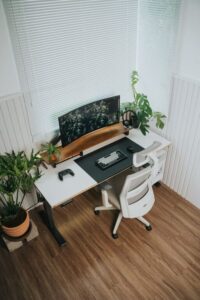
Natural light can improve mood and reduce eye strain. Position your desk near a window if you can, but avoid direct glare on your computer screen. If natural light is limited, invest in good quality lamps that mimic daylight to keep your space bright.
Ergonomic Setup for Comfort and Health
Invest in a Good Chair
A comfortable, supportive chair is crucial for long hours at your desk. Look for adjustable features like seat height, lumbar support, and armrests. Proper posture reduces the risk of back and neck pain, helping you stay focused.
Optimize Desk Height and Monitor Placement
Your desk should allow your elbows to rest comfortably at about a 90-degree angle. Position your computer monitor at eye level to avoid neck strain. Using a separate keyboard and mouse can help maintain an ergonomic posture.
Organizing Your Workspace
Keep Your Desk Clutter-Free
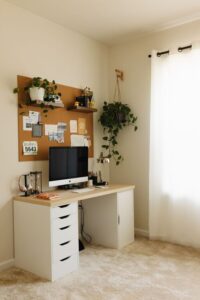
A tidy desk fosters clear thinking. Use containers, trays, or drawers to organize stationery, documents, and gadgets. Consider minimalism when setting up your desk surface, keeping only essential items within reach.
Use Shelving and Storage Solutions
Shelves and cabinets help keep important materials and reference items off your desk but easily accessible. Label storage boxes or folders for added organization and quick retrieval.
Optimizing Technology and Tools
Reliable Internet and Equipment
Stable internet is vital for remote work. Prioritize a router placement that provides a strong connection in your office area. Invest in quality headphones or speakers if you often attend video meetings, and consider a printer or scanner if needed.
Use Productivity Apps
Digital tools can help you stay organized. Task managers, calendars, and note-taking apps help track deadlines and meetings. Choosing apps that sync across devices lets you work flexibly.
Managing Distractions and Maintaining Focus
Set Clear Boundaries
Establish working hours and communicate them to household members. Use signs or signals to indicate when you shouldn’t be disturbed, especially if you share your home with others.
Take Regular Breaks
Working long stretches without breaks can reduce productivity. Practice techniques like the Pomodoro method (25 minutes work, 5 minutes break) to maintain energy and focus.
Control Noise Levels
If noise is an issue, try noise-canceling headphones or white noise machines. Playing soft background music may also assist concentration for some people.
Personalizing Your Space
Add Plants or Artwork
Incorporating greenery or artwork can make your office more inviting and reduce stress. Choose low-maintenance plants suitable for indoor conditions.
Adjust Lighting and Temperature
Use adjustable lighting and have a fan or heater nearby to regulate temperature. Comfort supports longer periods of productive work.
Maintain a Healthy Work-Life Balance
End Your Workday Ritual
Create a routine to signal the end of your workday, such as shutting down your computer or tidying your desk. This helps you mentally transition away from work mode.
Keep Physical Activity in Your Schedule
Incorporate stretching or short walks into your breaks to reduce stiffness and refresh your mind.
Final Thoughts
Designing a productive home office environment requires careful consideration of your space, comfort, organization, and work habits. By applying these tips, you can create a workspace that supports your daily tasks and helps you maintain balance and focus while working from home. Remember, your ideal workspace may evolve over time—be flexible and open to adjustments that improve your experience.