Tips for Creating a Cozy and Productive Home Office Space

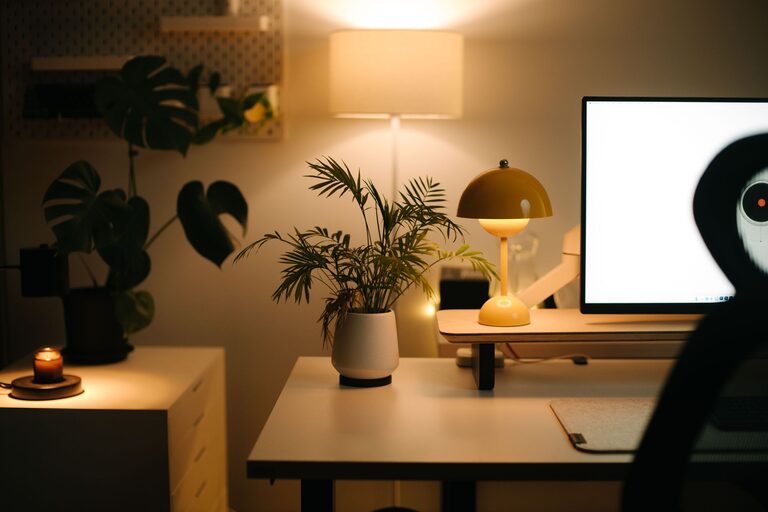
Creating a cozy and productive home office space is essential for anyone who works remotely, freelances, or simply needs a dedicated area for tasks and creativity. A well-designed workspace can improve focus, reduce stress, and help maintain a healthy work-life balance. Whether you have a spare room or just a small corner, these tips will help you transform your area into an inviting and efficient office.
Choose the Right Location
Selecting the best spot in your home is the first step. Look for a space that is relatively quiet and free from distractions. Natural light is a bonus, as it can improve mood and reduce eye strain. If possible, position your desk near a window, but avoid direct glare on your screen.
– Avoid high-traffic areas where family members or housemates frequently pass.
– Consider closeness to power outlets and internet connections.
– Use room dividers or curtains if you need a visual or noise barrier.
Invest in Comfortable and Functional Furniture
Your desk and chair are the core of your workspace. Comfort and ergonomics should be a priority to keep aches and fatigue at bay.
– Choose an adjustable chair that supports your back well.
– Pick a desk with enough surface area for your computer, notebooks, and other tools.
– Standing desks or convertible desks can offer flexibility and encourage movement.
– Add a footrest or supportive accessories if needed.
Organize with Storage and Declutter Regularly
A tidy workspace helps maintain focus and efficiency. Use storage solutions that fit your needs and keep frequently used items accessible.
– Use shelves, drawers, and organizers to keep supplies in order.
– Clear your desk at the end of each day to prepare for a fresh start.
– Digitize documents where possible to save space.
– Use cable management tools to keep cords neat and out of the way.
Personalize Your Space
Adding personal touches can make your office more inviting and motivate you.
– Display a few favorite photos, artwork, or inspiring quotes.
– Incorporate colors and décor that calm or energize you, depending on your style.
– Use plants to bring life and improve air quality.
– Consider a cozy throw blanket or a small rug for warmth.
Optimize Lighting
Good lighting reduces eye strain and helps maintain alertness.
– Combine natural light with layered artificial lighting.
– Use desk lamps with adjustable brightness and color temperature.
– Avoid harsh overhead lights and screen glare.
– Position your monitor perpendicular to windows to minimize reflections.
Create Boundaries for Work and Rest
Maintaining separation between work and home life is important, especially when working remotely.
– Set specific work hours and communicate them with others in your household.
– Use physical cues like closing a door or putting on headphones when working.
– Develop a routine to start and end your workday, such as a short walk or stretching.
Incorporate Technology Wisely
Technology tools and gadgets can support your productivity if used thoughtfully.
– Invest in a reliable internet connection to avoid disruptions.
– Use noise-canceling headphones if needed.
– Organize digital files with consistent folders and backup solutions.
– Consider dual monitors for multitasking or video calls.
Prioritize Comfort and Health
Your physical well-being plays a role in productivity and comfort.
– Take regular breaks to stand, stretch, and move.
– Maintain good posture with ergonomic setups.
– Keep water nearby to stay hydrated.
– Adjust room temperature and ventilation for comfort.
Make It Flexible and Adaptable
Your needs might change over time, and your office should be able to evolve.
– Use modular furniture or items on wheels for easy rearrangement.
– Try different setups if your current one feels stale or uncomfortable.
– Keep extra seating or workspace for collaboration or creative brainstorming.
—
By integrating these tips, you can create a home office that is both cozy and highly productive. Tailor your design to fit your personal style and work needs, and don’t hesitate to make changes as you discover what helps you work best. A well-planned workspace not only improves your output but can also make daily work more enjoyable.