Tips for Creating an Organized and Efficient Home Workspace

Creating an organized and efficient home workspace is essential for maintaining productivity and comfort while working remotely. Whether you’re new to working from home or looking to improve your current setup, small changes can make a big difference. This guide shares helpful tips to design a workspace that supports your workflow and keeps distractions to a minimum.
Why an Organized Workspace Matters
An organized workspace helps reduce stress, save time, and improve focus. When your desk is clutter-free and your essentials are within easy reach, you can work more efficiently. A well-planned environment also encourages good posture and keeps you motivated throughout the day.
Choosing the Right Location
Consider Natural Light and Quiet
Pick a spot in your home that receives plenty of natural light. Sunlight not only brightens the space but also boosts your mood and energy levels. Additionally, choose a quiet area where interruptions are minimal to help you concentrate better.
Think About Your Space Needs
Assess how much room you need for your tasks. If you handle large documents or multiple monitors, your desk area should be spacious enough to accommodate everything comfortably.
Setting Up Your Desk for Productivity
Use a Suitable Desk and Chair
Invest in a desk that fits your workspace and a supportive chair that promotes good posture. Ergonomic chairs with adjustable height can make long work hours more comfortable and prevent back pain.
Organize Essentials Within Reach
Keep frequently used items like your laptop, notebooks, pens, and phone charger close at hand. Use desk organizers or trays to keep these tools neatly arranged.
Minimize Clutter
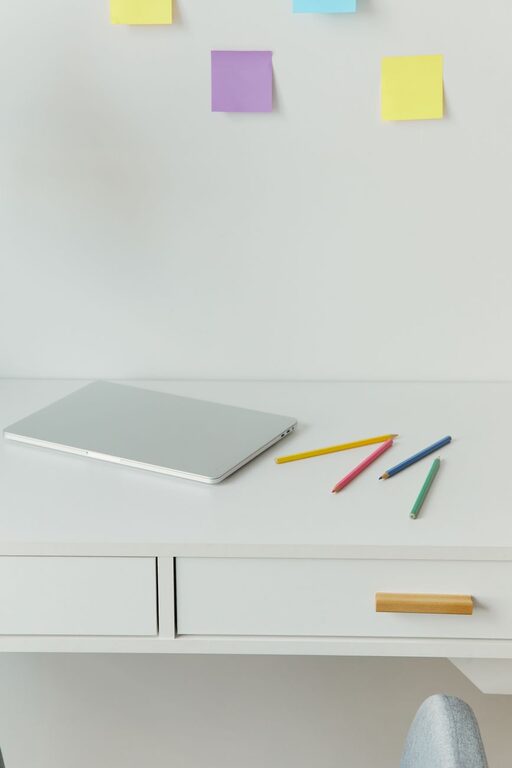
Remove unnecessary items from your desk surface. A clean workspace helps your mind stay focused and keeps distractions at bay.
Smart Storage Solutions
Utilize Vertical Space
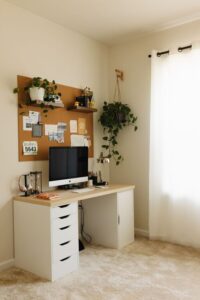
Use shelves, wall-mounted organizers, or pegboards to store supplies without taking up desk space. This also keeps your essentials visible and accessible.
Use Drawers and Containers
Designate drawers for different categories like stationery, documents, or tech accessories. Label containers and folders to make finding items quick and easy.
Digitize Documents
Reduce paper clutter by scanning important files and organizing them on your computer or cloud storage. This method also makes document retrieval faster.
Managing Cables and Electronics
Keep Cords Tidy
Use cable clips, ties, or sleeves to bundle wires together. This not only makes your workspace look cleaner but reduces the risk of tripping or damaging cables.
Arrange Electronics Efficiently
Position your computer, monitor, printer, and other devices so that power outlets are easily accessible. Consider using a surge protector to protect your electronics.
Creating a Comfortable Environment
Add Personal Touches
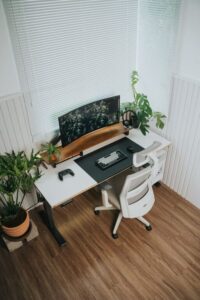
Incorporate a few decorative items such as plants, photos, or artwork to make your workspace inviting. However, avoid overloading your area with too many distractions.
Control Temperature and Lighting
Make sure your workspace is well-lit with a combination of natural and artificial light. Use blinds or curtains to reduce glare. Maintain a comfortable temperature to stay focused throughout the day.
Take Breaks and Move
Design your space so you can stand or stretch between tasks. Consider a standing desk or adjustable desk converter for variety.
Time Management and Workflow Tips
Plan Your Day
Use a calendar or planner to outline your daily tasks. Setting clear goals helps you stay on track and prioritize work.
Limit Distractions
Keep your workspace dedicated to work by removing unrelated items or devices. Use noise-cancelling headphones if you encounter background noise.
Clean Your Workspace Regularly
Take a few minutes at the end of each day to tidy your desk, file documents, and prepare for the next day. A clean workspace resets your focus and keeps organization intact.
Final Thoughts
Designing an organized and efficient home workspace doesn’t require a complete overhaul. By carefully selecting your workspace location, organizing your desk and storage, managing cables, and creating a comfortable environment, you can boost your productivity and enjoy working from home. Remember that small, consistent efforts yield the best results, so start with one or two changes today and build your ideal workspace over time.